|
||||||||||||||||||||||||||||||||
|
Best modification and
lowest price Guaranteed.
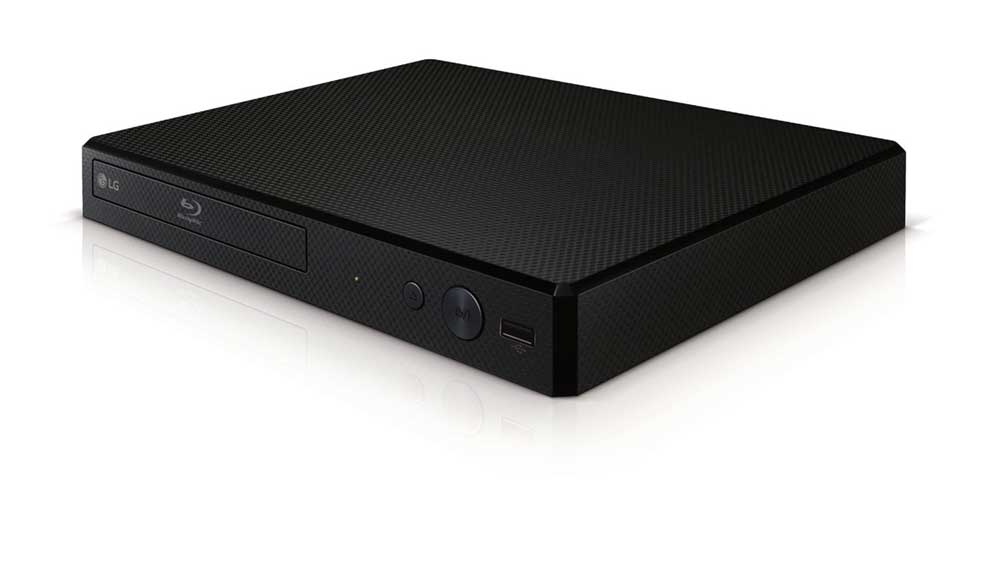
Samsung BD-P1600 Region
Free DVD Player.
|
|||||||||||||||||||||||||||||||
|
Disc Types |
Recorded Content |
Disc Size |
|
BD-ROM/BD-RE/BD-R |
Audio + Video |
Single sided (25GB/50GB) |
|
DVD-Video |
Audio + Video |
Single sided (5 or 3-1/2 inches) |
|
DVD-RW |
Audio + Video |
5 inches (4.7GB) |
|
DVD-R |
Audio + Video |
5 inches (4.7GB) |
|
Audio-CD |
Audio |
Singled sided (5 or 3-1/2 inches) |
Blu-ray Disc Overview: Blu-ray Disc (BD) is a new high-definition disc format designed to take advantage of today's high quality HDTVs. The resolution is up to 1920 x 1080 (1080p) and the data transfer rate is up to 40 mbps. Blu-ray Discs and players offer several advantages over the standard DVD format:
Better picture quality: Blu-ray Disc is a true high-definition format offering video at 720p, 1080i, 1080p, or 1080/24p resolution. While standard DVDs look very good on an HDTV, they don't provide a high-definition signal (not even when you use an up-converting DVD player). Blu-ray Disc delivers an extraordinarily sharp, clean, detailed picture, with deeper, richer colors.
Better sound quality: In addition to the same multi-channel sound formats you're accustomed to with DVD (Dolby Digital and DTS), Blu-ray Disc offers Dolby Digital Plus, Dolby TrueHD, DTS-HD, and uncompressed 5.1 channel PCM.
Much greater storage capacity: What makes Blu-ray Disc's superior picture and sound possible is the much higher storage capacity of Blu-ray Disc discs. A single-layer Blu-ray Disc can hold 25 gigabytes of data, over five times the amount a standard DVD can hold. Dual-layer Blu-ray Discs hold 50 gigabytes, which equates to nine hours of High Definition or 23 hours of Standard Definition video, plus high-resolution multi-channel audio and the added features and material that require multiple discs with standard DVD.
Compatibility with your current disc collections: To ensure backward-compatibility with your existing library of discs, Blu-ray Disc players use a dual-laser mechanism: a blue laser for playing high-definition Blu-ray Discs, and a conventional red laser for playing DVDs and audio CDs.
Note: As Blu-Ray technology continues to evolve, new disc types with enhanced functionality will become available. In order for you to enjoy this new functionality, you will likely be required to update the firmware in your player. These firmware updates will become available for downloading from the Internet.
AVCHD: The Samsung BD-P1600 Multi region DVD Player will play home videos recorded in AVCHD. AVCHD (MPEG-4 AVC/H.264) is a high definition digital video camera format used to record in high definition or standard definition on a standard DVD.
MP3/JPEG Playback: The BD-P1600 supports MP3 (48kHz/320kbps) and JPEG playback from CD-R/RW and DVD-R/RW discs, plus a USB storage device.
Region Code: Like DVD, BD uses region codes. The region code on your disc must match the region code on your player, otherwise the disc will not play. The BD-P1600 is Blu-ray region A and DVD region 1.
Copy Protection: Blu-ray Disc uses the Advanced Access Content System (AACS) to prevent unauthorized recording of copyrighted material.
Graphic Interface: The Samsung BD-P1600 code free dvd player includes two individual HD resolution graphic planes (layers), one for graphics within the frame, such as subtitles, and one for interactive buttons; play movie, scene selection, etc. Because of Blu-ray's extremely high transfer rate and ability to preload data from the disc, the menu system can consist of several pages and can be accessed while the movie plays in the background. Some BD discs allow adjustable fonts, sizes, and colors for subtitles.
Video Up-conversion: When connected to your TV using the HDMI output the BD-P1600 scales the output of a standard DVD signal to HD-compatible 720p, 1080i, or 1080p. The unit also supports 480p and 480i output if your television is not HD-compatible.
Video Output: There are three types of video output on the rear panel; composite video, component video, and HDMI. The output resolution is adjustable as follows:
Video: The composite video output resolution is always 480i when playing Blu-ray Disc or DVD.
Component: When playing Blu-ray the resolution can be set to 480i, 480p, 720p, or 1080i; when playing DVD the resolution can be set to 480i or 480p.
HDMI: The output resolution can be set to 480i, 480p, 720p, 1080i or 1080p when playing a DVD or Blu-ray Disc; also 1080/24p when playing a compatible BD.
1080/24p: Movies are typically filmed at 24 frames per second and some Blu-ray Discs use the same frame rate. If your TV will accept a 1080/24p signal, the BD-P1600 can pass the signal in its native form, without converting the video.
BD Wise: BD Wise is Samsung's latest inter-connectivity feature. When you connect Samsung products with BD-Wise to each other via HDMI, the optimum resolution will be set automatically.
TV Aspect: You can adjust the video output of the BD-P1600 to match the screen-type of your television. You can choose from 4:3 Letter-Box, 4:3 Pan-Scan, 16:9 Wide, and 16:9 Normal.
Picture Mode: This function enable you to adjust video quality when you are connected to a TV via HDMI. You can choose from Dynamic, Normal, or Movie.
Bonus View: The Bonus View feature provides picture-in-picture capability with select Blu-ray Disc titles. You can view addition content (such as director/actor commentary) in a small display window while the movie is playing.
Parental Lock: The Parental Lock function works in conjunction with Blu-ray Disc/DVDs that have been assigned a rating which helps you control the types of Blu-ray Discs/DVDs that your family watches. There are up to 8 ratings levels on a disc. The rating levels are protected by a customer user 4-digit password.
Dimmer: The unit's display offers three dimmer settings - Automatic, Dim, and Bright. The Automatic setting automatically dims the display during playback and brightens the display when stopped.
Dolby Digital/DTS Surround Decoding: The BD-P1600 can decode the following Dolby Digital/DTS surround formats - Dolby Digital, DTS, Dolby Digital Plus, Dolby True HD, DTS HD High Resolution, and DTS-HD Master Audio (Essential). The player must be connected to a Dolby Digital/DTS surround AV receiver which also supports these same formats via optical or HDMI input.
Digital Audio Output: The Audio menu allows you to select the digital audio format that is passed through the optical and HDMI outputs:
PCM: Decodes Primary, Secondary, and Effect audio streams together into PCM audio using the player's optical or HDMI output.
Bitstream (Re-encode): Decodes Primary, Secondary, and Effect audio streams together into PCM audio, then re-encodes the PCM audio into DTS bitstream using the player's optical output.
Bitstream (Audiophile): Outputs only the Primary audio soundtrack (main soundtrack of the movie) so that your receiver can decode the audio bitstream sound using the player's HDMI output.
Down Sampling: Select this when the connected amplifier or pre-amp will not accept signals with a sampling rate of 96 kHz, 96 kHz signals are then down sampled to 48 kHz.
Dynamic Compression: When movie soundtracks are played at low volume or from smaller speakers, the system can apply appropriate compression to make low-level content more intelligible and prevent dramatic passages from getting too loud. This is only active when a Dolby Digital signal is detected.
BD-Live: BD-Live technology allows you to download and stream bonus content such as additional scenes, shorts, trailers, movie-based games, and more from a broadband internet and home network connections (fees may apply). The BD-1600 features an Ethernet port to connect to the internet via your home network and features two USB ports (front/rear) for additional storage. You can also connect to your LAN using the optional wireless WIS09ABGN LAN adapter sold separately).
Note: You must have a minimum 1GB USB memory device inserted in on of the unit's USB slots in order to download content from BD-Live.
Video and Music on Demand: The Samsung BD1600 Blu-ray disc player offers online video and music on demand via a network connection, using the unit's rear-panel Ethernet port or the optional wireless WIS09ABGN LAN adapter (sold separately). The Samsung BD1600 allows access to the following internet websites.
Netflix: This Blu-ray disc player supports the Netflix streaming service which enables you to enjoy various movies. You can instantly watch from a selection of over 12,000 (and growing) movies and TV episodes from Netflix (Netflix membership required).
Blockbuster: With Blockbuster On Demand, you can watch newly released movies without ever leaving your living room. You can rent or buy movies to watch right away on your Internet-connected HDTV or Blu-ray player. You are able to choose from thousands of titles, including new releases and cinema classics, with no monthly fee.
Rent Movies: Blockbuster rental allows storage up to 30 days. Once you start playback, you can watch the movie as many times as you like during a 24-hour period. Rentals start at $2.99 per title.
Buy Movies: Purchased movies store for an unlimited amount of time and range from $1.99 (for TV shows) to $19.99 (for new movie releases).
YouTube: Directly from the Samsung BD1600, you can enjoy access to YouTube. You can upload your home videos and stream them right to your TV. You can also search the millions of videos from other YouTube users.
Internet Radio: The Blu-ray disc player allows you to stream music from Pandora, an Internet Radio service. Pandora is a free internet radio service that lets you program an unlimited number of personalized "stations" that play the music you love, and makes relevant suggestions based on your choices. Choose from any genre, performer, and even specific songs. You can listen and control your Internet Radio music from the BD-1600. If you already use Pandora, you can just log in to your account directly from the BD-P1600 and you are ready to go. If you don not have an account, you must create one initially.
Multi-brand Remote: The supplied remote is pre-programmed to operate this unit and a number of functions on multiple brand TVs. Once programmed, the remote controls the TV's power on/off, input select, volume up/down, channel up/down, and mute.
Anynet+: Anynet+ is an AV network system that enables compatible Samsung components connected by HDMI cables to transfer command codes along with video and audio signals.
HDMI (High Definition Multimedia Interface): The unit's HDMI version 1.3 output simplifies A/V connections by carrying video and digital audio all in one cable. This unit features HDCP copyright protection technology, and must be connected to an HDCP-compliant device. If your TV has a DVI input instead of an HDMI input, you can connect this unit to your TV using an HDMI-to-DVI adapter. You will also need to connect audio cables to the player because DVI is a video only cable. HDMI video can be output at 1080/24p, 1080p, 1080i, 720p, or 480p.
Component Video: The component video resolution can be set to 1080i, 720p, 480p, or 480i.
Composite Video: The composite output is always live and fixed at 480i; it can output video when playing a Blu-ray Disc.
Digital Audio Output: The Audio menu allows you to select the digital audio format that is passed through the optical digital output; bitstream (Dolby Digital or DTS) or 2-channel PCM.
Analog Audio: There is a pair of stereo RCA outputs for connecting the player to your television's analog audio input.
LAN: The rear-panel RJ-45 Ethernet port is used to connect to the internet for firmware updates and to access BD-Live, Internet Radio, and Netflix content.
Dual USB Ports: The USB type-A ports on the front and rear panel of the unit allow you to perform software upgrades using a USB flash drive. It can also be used to add more local storage for BD-Live content or playback of MP3/JPEG content. In addition you can connect to your network wirelessly using the optional proprietary Samsung Wireless LAN adapter